

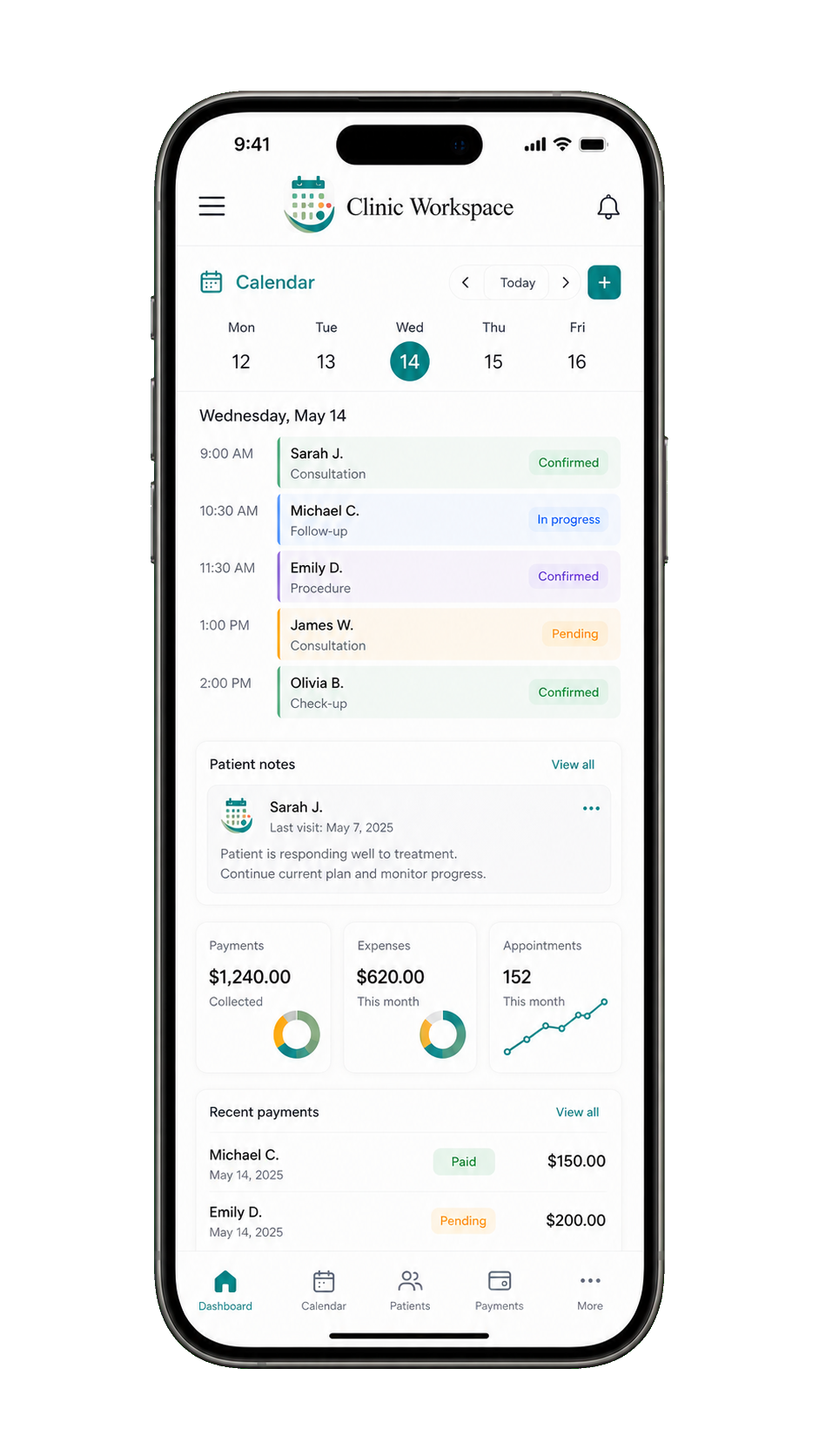
 Calendar
Payments$1,240.00Collected
Clinora
Clinic management software for clinics in Lebanon
Clinora is a mobile-friendly clinic management app for small teams in Lebanon. Keep appointments, patient files, visit notes, home exercise programs, and payment records together.
Clinora automatically sends WhatsApp appointment reminders the day before eligible visits for opted-in patients.
Clinora is clinic-management software for scheduling, patient administration, payments, reporting, and optional appointment reminders; it is not a medical clinic or healthcare provider.
Legal business identity
Clinora is operated by جايسن إيلي عيسى, a registered establishment in Lebanon.
- Legal business name / الاسم القانوني للنشاط التجاري:
- جايسن إيلي عيسى
- Ministry of Finance registration number:
- 4139858
Use Clinora in an iPhone or Android web browser at the front desk or on the move.
A day with Clinora
Between patients,
keep your day moving.
Complete a visit, record its payment, and see who’s next. A short look at the real mobile workflow.
Press play · 24 seconds · No sound needed
Actual Clinora screens with fictional demo data. Cinematic clinic scenes are AI-generated.
Download the filmRead the film description
A physiotherapist finishes a treatment and turns to the paperwork on her desk. She picks up her phone. In the actual Clinora mobile interface, a demo visit is marked complete, a cash payment is recorded and applied to the appointment, and the next patient’s visit is opened from the calendar. Back in the clinic, the physiotherapist welcomes the next patient. On-screen message: “Back to your patients.” This silent film is edited for length; it demonstrates payment records, not payment processing.
Your calendar
Keep today’s appointments in view.
Payment records
Connect payments to the right visit.
WhatsApp reminders
Automatic appointment reminders for opted-in patients. Setup is handled during onboarding.
Why Clinora Fits Lebanon
A clinic management system for small, owner-led teams. Clinic staff book and update appointments, with patient records close to the calendar.
Built for pay-first, claim-later workflows: some clinics collect payment from patients who later seek reimbursement themselves. Clinora keeps payment records and patient coverage details visible without processing insurance claims.
Save time
Book individual or recurring visits, keep notes linked to patients, and record payments as care happens.
Stay organized
Keep patient records, documents, and visit notes in an access-controlled workspace.
Home exercise programs: create personalized exercise plans with dosage and instructions, reuse templates, and share patient programs through a browser link or print them as PDF.
Payments & Billing
Record cash, card, or bank transfer payments and follow payment history and balances. Patient coverage type and notes are kept separately from how a payment was made.
USD and LBP support
See what matters
Review appointments, payment activity, balances, and clinic expenses with operational reports.
Your clinic data stays protected
We use access controls, backups, and operational safeguards to help protect clinic information.
Access controlled
Clinic users sign in before accessing clinic information.
Clinic-managed access
Clinics decide which staff members should use the workspace.
Included backups
Automatic backups are included and configured for every clinic to support service recovery.
You're in control
Exports help clinics keep copies of records they need.
Questions from clinic owners
Using Clinora day to day
Can I use the clinic management app on my phone?
Yes. Open Clinora in your iPhone or Android web browser to check the schedule, find a patient, and work with appointments and notes. Desktop layouts are available for broader operational work.
Does Clinora automatically send WhatsApp reminders to patients?
Yes. For patients who have opted in, Clinora automatically sends eligible WhatsApp appointment reminders on the preceding clinic-local day. Staff do not have to press Send for each reminder. We handle messaging setup during onboarding. Messages omit treatment, diagnosis, notes and payment details.
Yes. Clinora supports WhatsApp appointment reminders in Arabic and English, based on the patient's recorded language preference. We handle messaging setup during onboarding. Reminders require patient opt-in, and patient opt-out stops future reminders.
Who books and updates appointments?
Clinic staff book, reschedule, and update appointments in Clinora. Your team manages scheduling and changes with patients.